Vocal Proxy Google Play →

ANDROID AAC & COMMUNICATION SUPPORT

When speaking is difficult,
communicate your way.

Vocal Proxy is an AAC and communication support app for adults and teens who may have difficulty speaking. Show what you want to say in large text, let the app speak for you with a natural voice, share a photo, or prepare important conversations in advance.

Start with the free version to make sure the features you need work well on your Android device. Upgrade to Pro only if you need more.

Available nowAndroid / Google Play
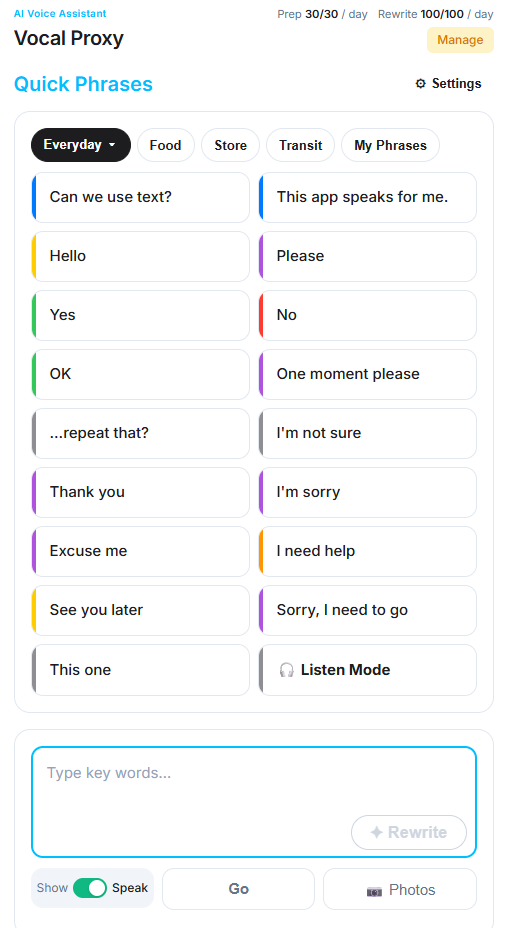
Vocal Proxy home screen showing Quick Phrases, text input, and main communication controls

Show messages in large text.

Speak aloud with a natural voice.

Prepare conversations in advance.

WHEN SPEAKING IS DIFFICULT

When speaking is hard,
you still need a way to communicate.

Sometimes you need to type a message and show it right away. Sometimes you want the app to speak for you. Sometimes a photo explains things faster than words. Vocal Proxy brings these tools together in one app.

CORE FEATURES

Different ways to communicate,
all in one place.

Designed mainly for people who can type or tap options, Vocal Proxy helps reduce the effort of communication and lets you choose the method that fits the situation.

01 / QUICK PHRASES

Choose a category.
Get phrases for the situation.

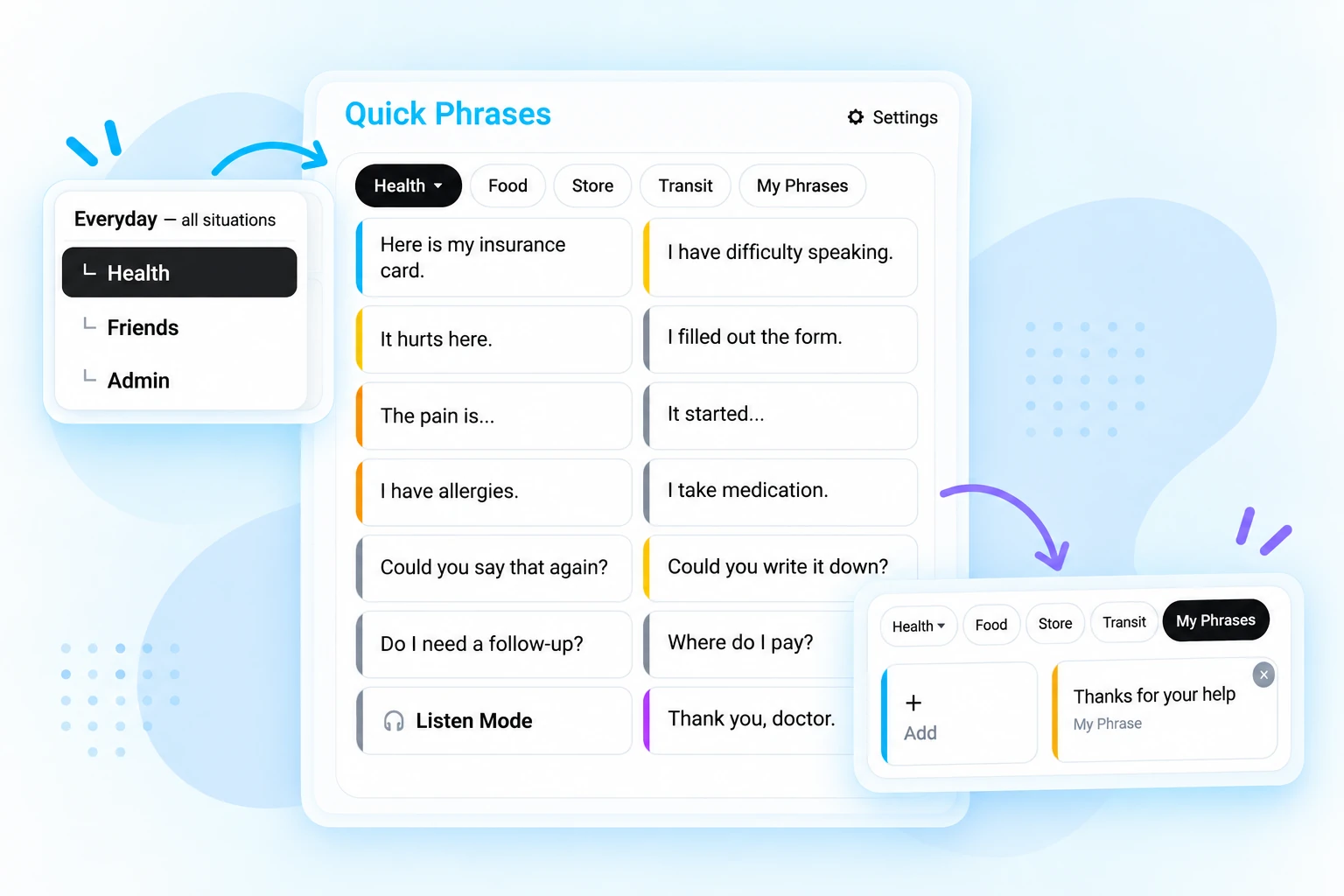
Choose a category such as everyday life, food, stores, transit, health, friends, or admin. The ready-to-use phrases and predictions change with the situation, and you can save your own phrases for quick access.

  • Ready-to-use phrases by category
  • Predictions that change with the situation
  • Save your own phrases in My Phrases
Vocal Proxy Quick Phrases visual showing category-based phrases, a category menu, and My Phrases
02 / REWRITE

Start with a few words.
Turn them into a clear message.

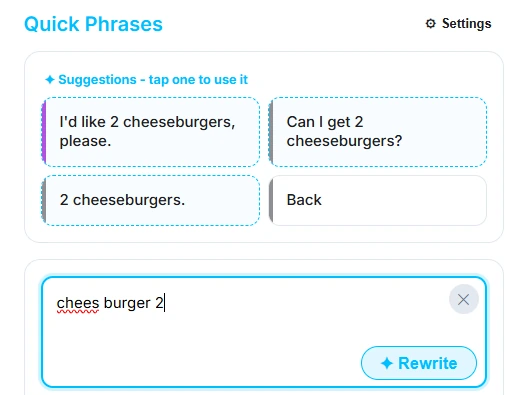
Type a word or a short fragment, and Rewrite creates three natural-sounding sentence options while keeping your meaning. It reduces the effort of fixing spelling, grammar, and word order.

  • Build a message from short input
  • Helps correct spelling and word order
  • Choose from three suggested versions
Vocal Proxy Rewrite screen turning short input into natural sentence suggestions
03 / PHOTOS

Sometimes a photo
says it faster.

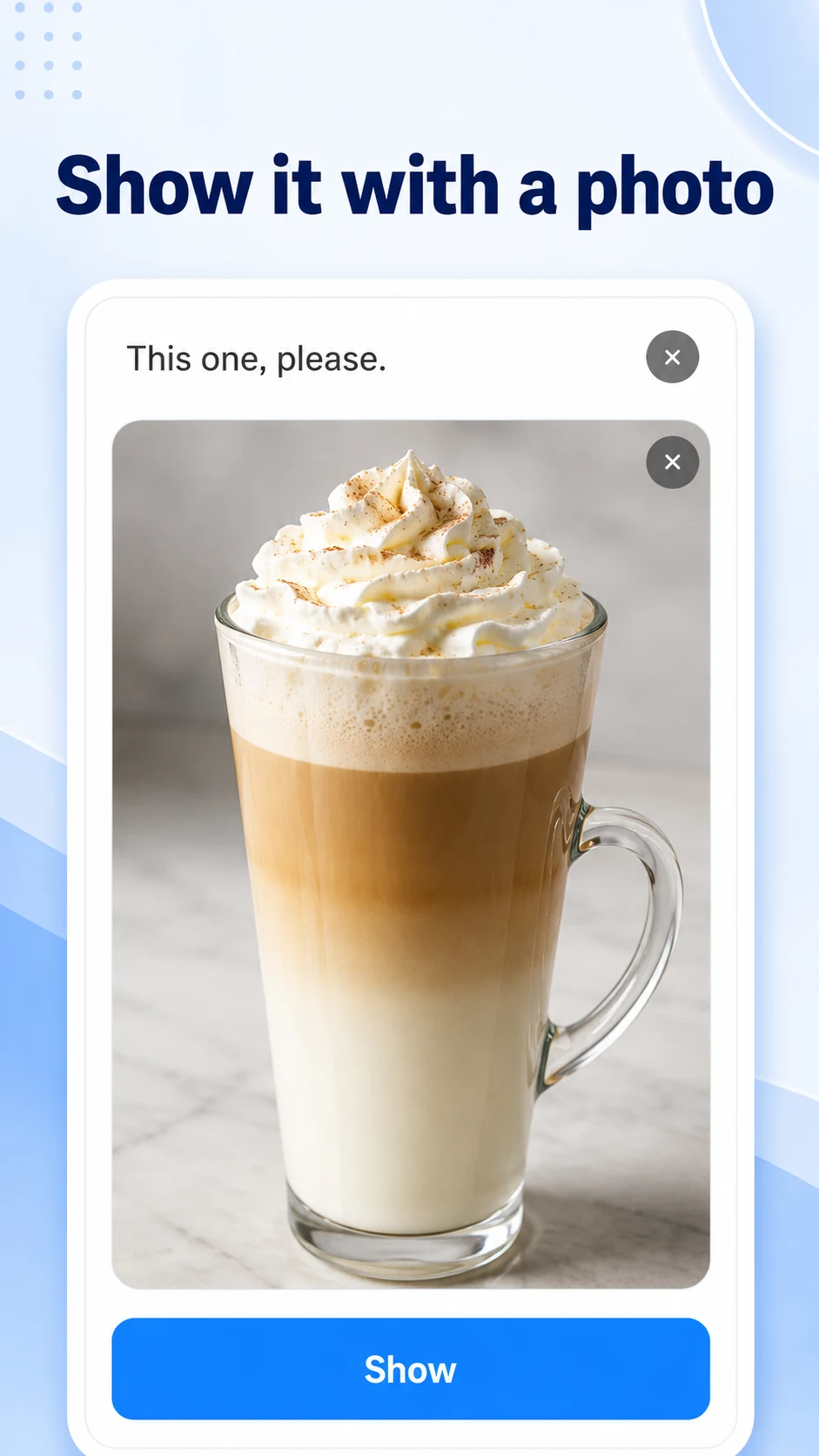
Show a saved photo or image in a large, easy-to-see format and add a short message if needed. It can be useful for products, menus, documents, places, people, and anything that is easier to explain visually.

  • Show photos and images from your device
  • Combine a photo with a short message
  • Make visual explanations quicker
Vocal Proxy photo feature showing a drink photo with the message This one, please
04 / SHOW & SPEAK

Show your message in large text.
Or let the app speak for you.

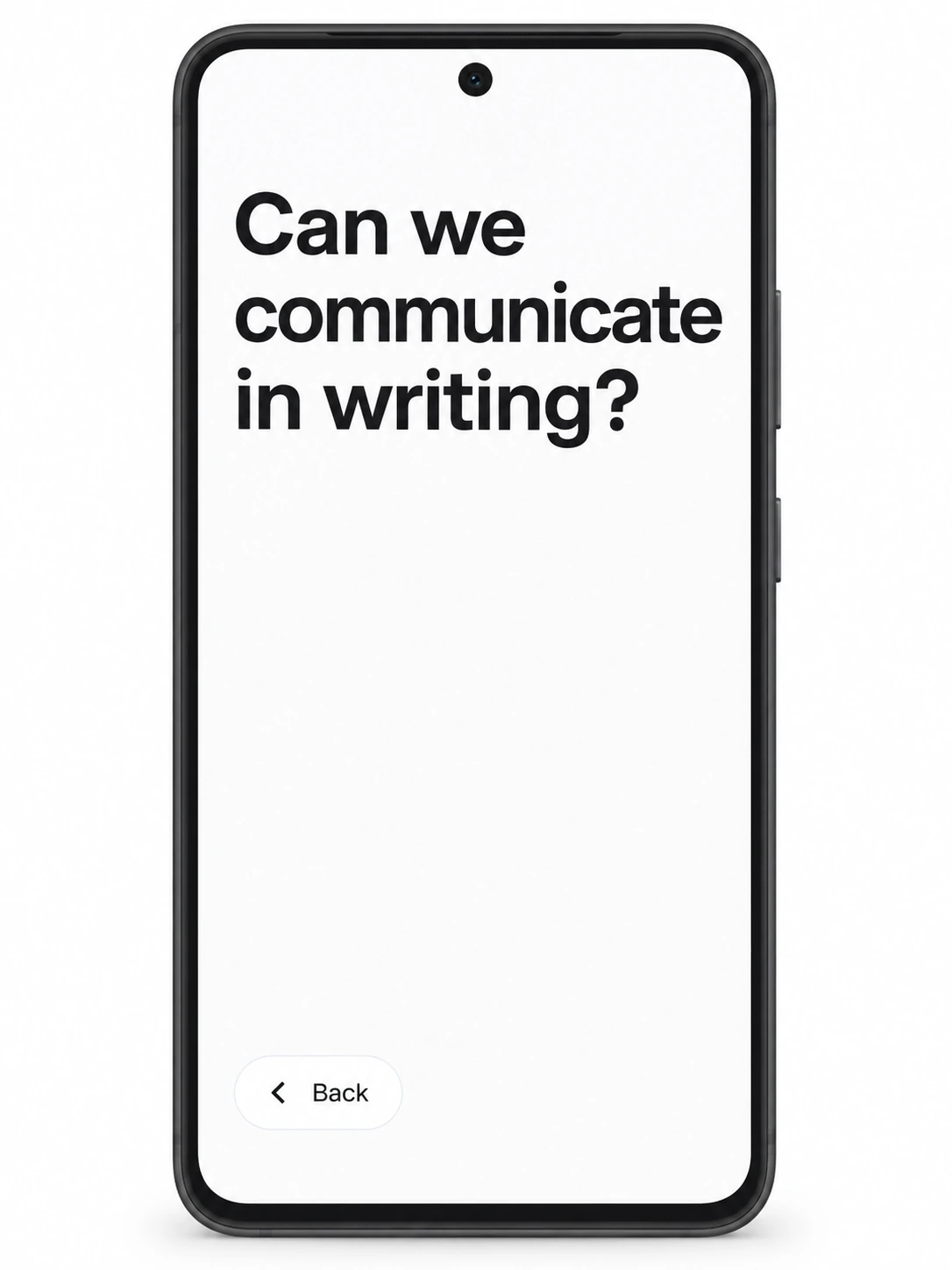
Display your message full-screen when showing text is easier, or play it aloud with a natural voice. Switch between the two depending on the situation and the person you are talking to.

  • Display messages in large text
  • Natural-sounding male and female voices
  • Turn typed text into speech right away
Vocal Proxy large-text display screen showing the message Can we communicate in writing?

PREPARE

Prepare difficult conversations
before they begin.

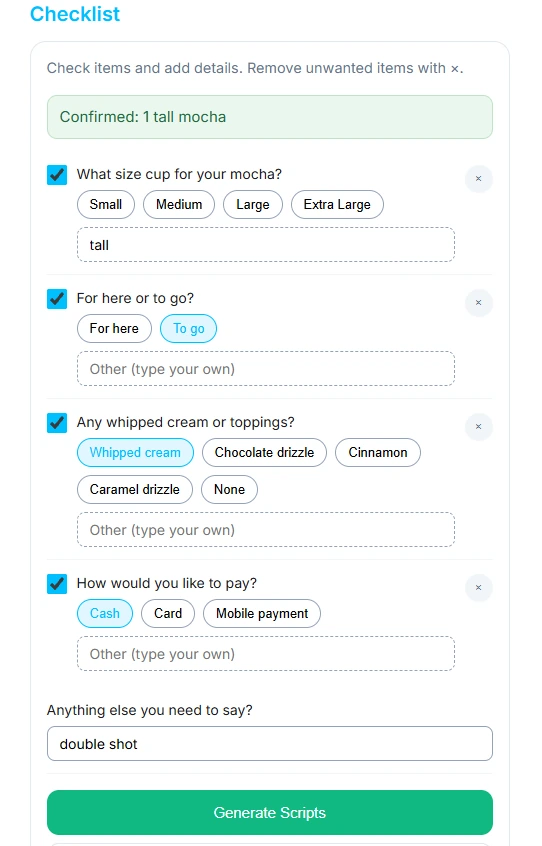
For situations such as medical appointments, government offices, banks, or other conversations with a lot to cover, enter where you are going and what you need to do. Answer a few questions, and Vocal Proxy creates useful lines and a clear summary you can use during the conversation.

  1. 1
    Enter the situation and your goal

    Example: I want to talk about my medication at the hospital.

  2. 2
    Answer a few questions

    Tap choices or type your own answer.

  3. 3
    Get ready-to-use lines and a summary

    Show them on screen or play them aloud when you need them.

WHO IT'S FOR

For adults and teens who need another way to communicate.

Vocal Proxy is designed for people who can use typing, phrase selection, or both to express what they want to say.

  • People who cannot speak or whose voice is difficult to use
  • People with selective mutism or situational mutism
  • People with voice disorders, speech disorders, or loss of voice
  • People who have difficulty speaking after laryngectomy or because of vocal cord paralysis
  • People whose speech can stop because of severe social or speaking anxiety
  • Some people with aphasia who can type or choose from options

ANDROID

Available on Google Play.

AVAILABLE NOW

Android

Vocal Proxy is available for Android on Google Play. Download the free version first and try the features on your own phone or tablet.

Open Vocal Proxy on Google Play →

FREE & PRO

Start free.
Upgrade only if you need more.

Showing text on screen is free with no usage limit. Voice playback, Rewrite, and Prepare can also be tried within the free limits.

FREE

$0

  • ✓ Message display: Unlimited
  • ✓ Voice playback: 500 trial uses
  • ✓ AI Prepare: 10 trial uses
  • ✓ AI Rewrite: 20 trial uses
PRO

$4.99 / month

  • ✓ Voice playback: 100 times per day
  • ✓ AI Prepare: 30 times per day
  • ✓ AI Rewrite: 100 times per day
  • ✓ My Phrases: Unlimited

FAQ

Frequently Asked Questions

Is Vocal Proxy for people who have difficulty speaking?

Yes. Vocal Proxy supports communication by letting you show text in large letters, show photos, speak with a natural voice, and prepare conversations in advance.

How is it different from a basic text-to-speech app?

In addition to voice playback, Vocal Proxy includes large-text display, ready-to-use phrases, category-based predictions, photos, AI Rewrite, and AI Prepare. You can choose the method that fits the situation instead of relying on voice alone.

Can I use it on Android phones and tablets?

Yes. Vocal Proxy is available on Google Play for Android phones and tablets. You can download the free version first and test it on your device.

Can I use Vocal Proxy for free?

Yes. Showing typed messages in large text is free with no usage limit. Voice playback, Rewrite, and Prepare also include free trial usage.

Can it be used for selective mutism, voice disorders, or aphasia?

Vocal Proxy is intended for people with selective mutism, voice disorders, speech disorders, loss of voice, and similar communication difficulties who can type or choose phrases. Some people with aphasia may also be able to use it depending on their needs and abilities. It is not a speech therapy app.

Even when speaking is difficult,
say what you need to say.

Try Vocal Proxy free on Android through Google Play.

Try it free on Google Play →